

Step 1: Understand the Interface
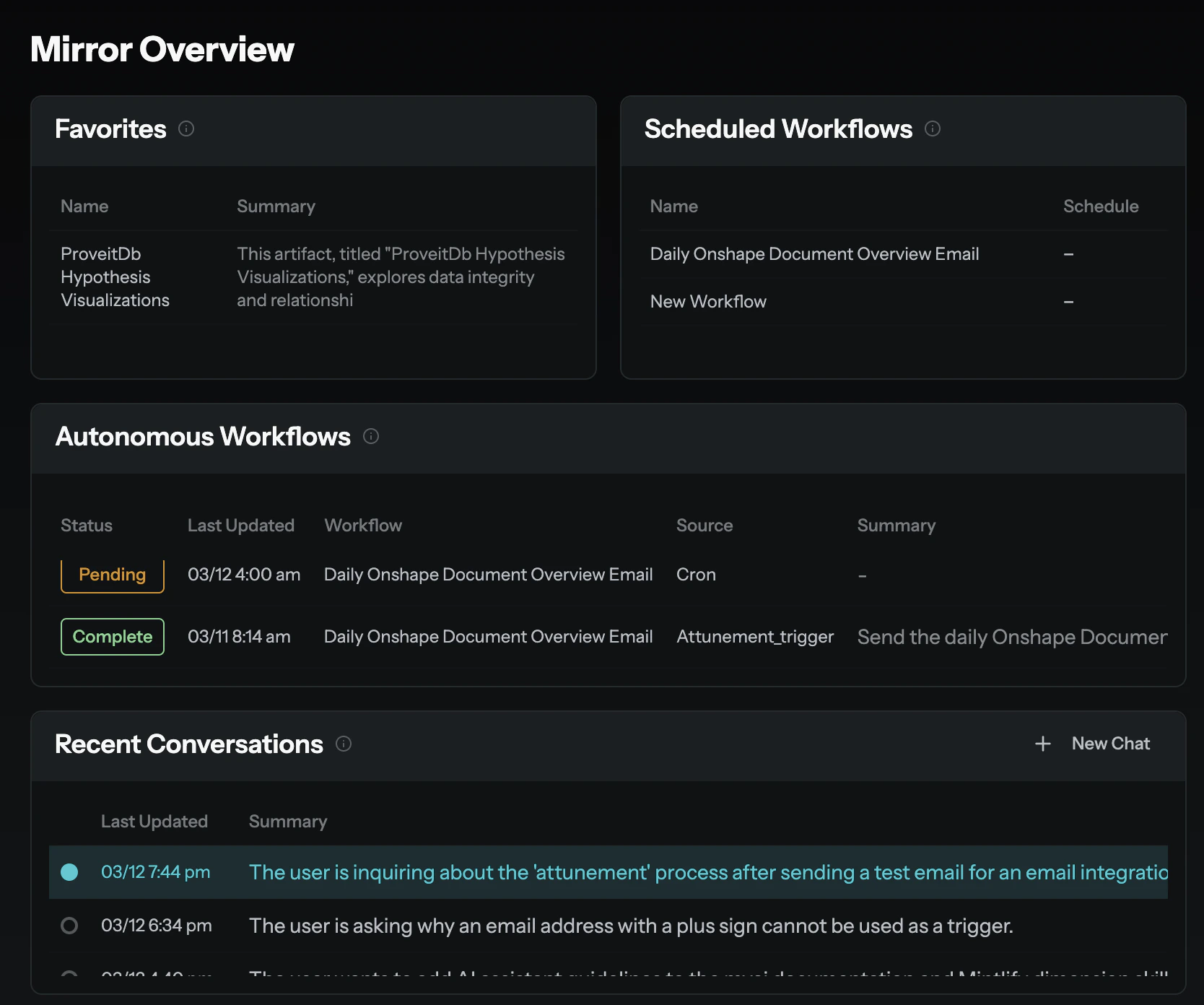
When you log in, you’ll see three main areas:- Sidebar navigation — Access your Dimensions, Workflows, Artifacts, and settings.
- Content area — View and interact with Canvases, dashboards, and reports.
- Chat panel — Your primary way to interact with MyAi. It slides in from the right.
Step 2: Open a Dimension
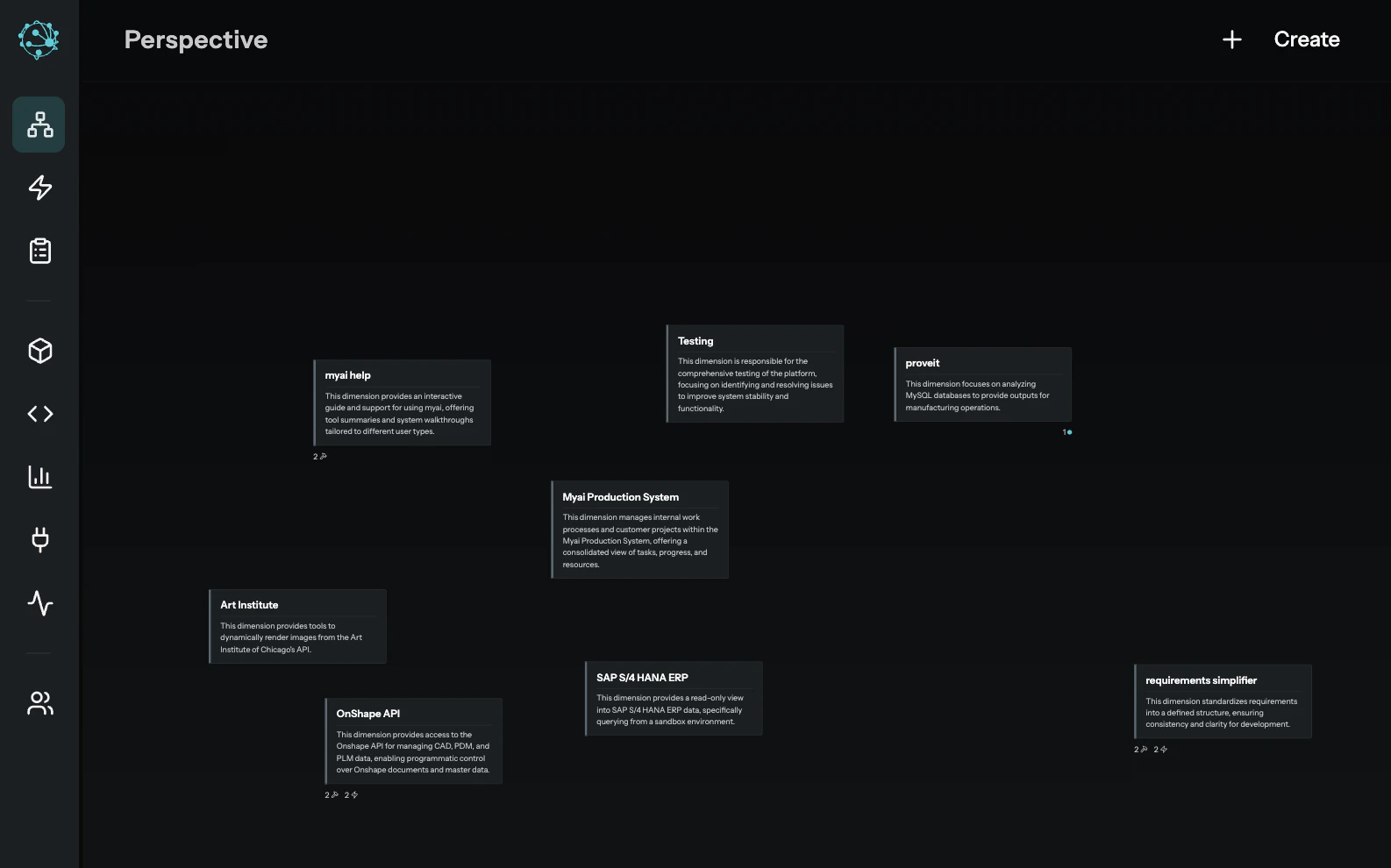
Dimensions are isolated workspaces that scope what the AI knows and can do. Your organization may already have Dimensions set up for you — like “Sales,” “Engineering,” or “Quality.”Navigate to a Dimension
Click the Perspective icon in the sidebar to see available Dimensions, or ask in chat:
Step 3: Create Your First Canvas
A Canvas is a persistent, interactive document — think of it as a living report or dashboard that outlives your chat session. Let’s create one. In the chat panel, type: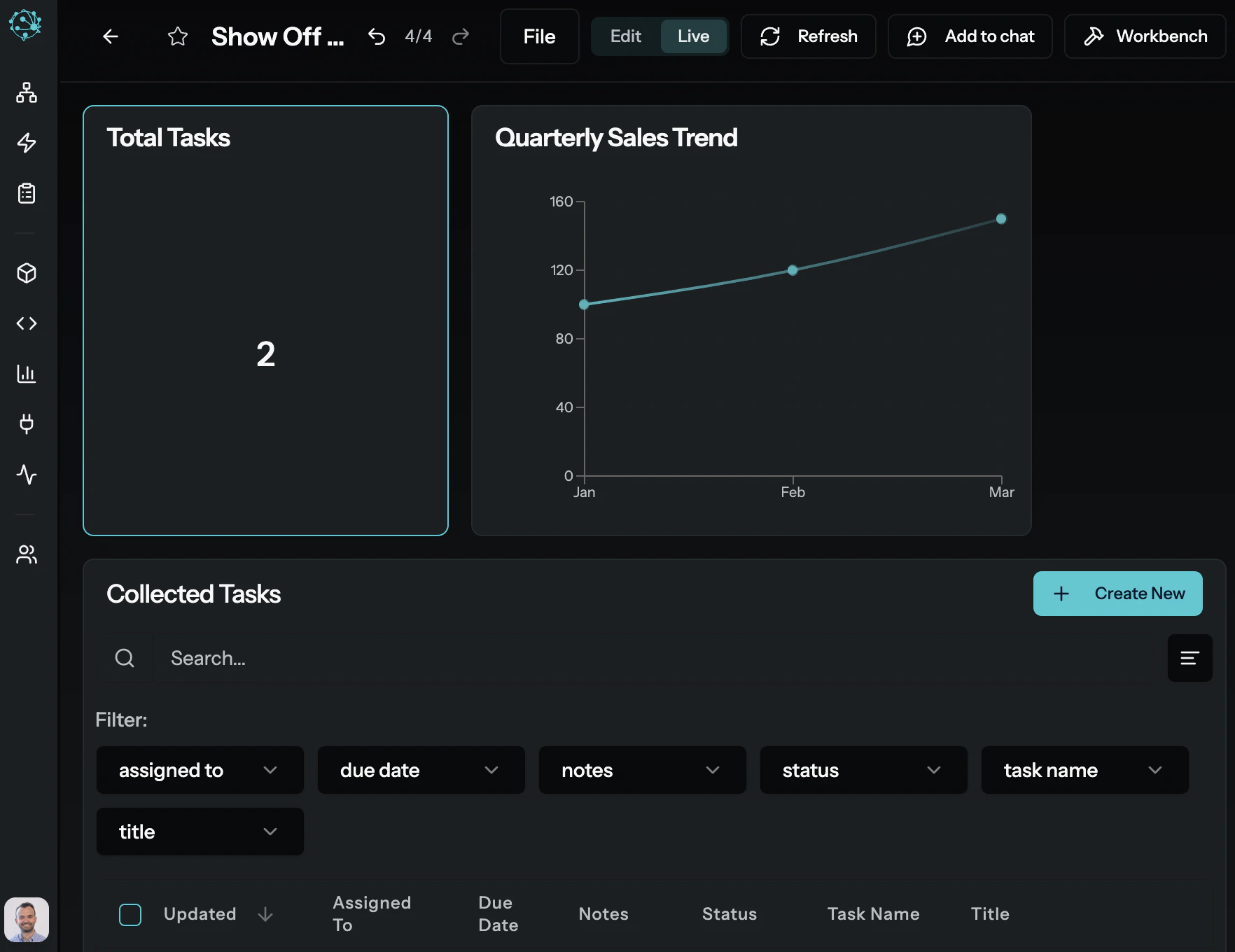
Canvases are Artifacts — they’re saved automatically and can be versioned, shared, and queried later.
Step 4: Ask a Question
MyAi isn’t just a builder — it’s a thinking partner. Ask it about anything within the current Dimension’s context: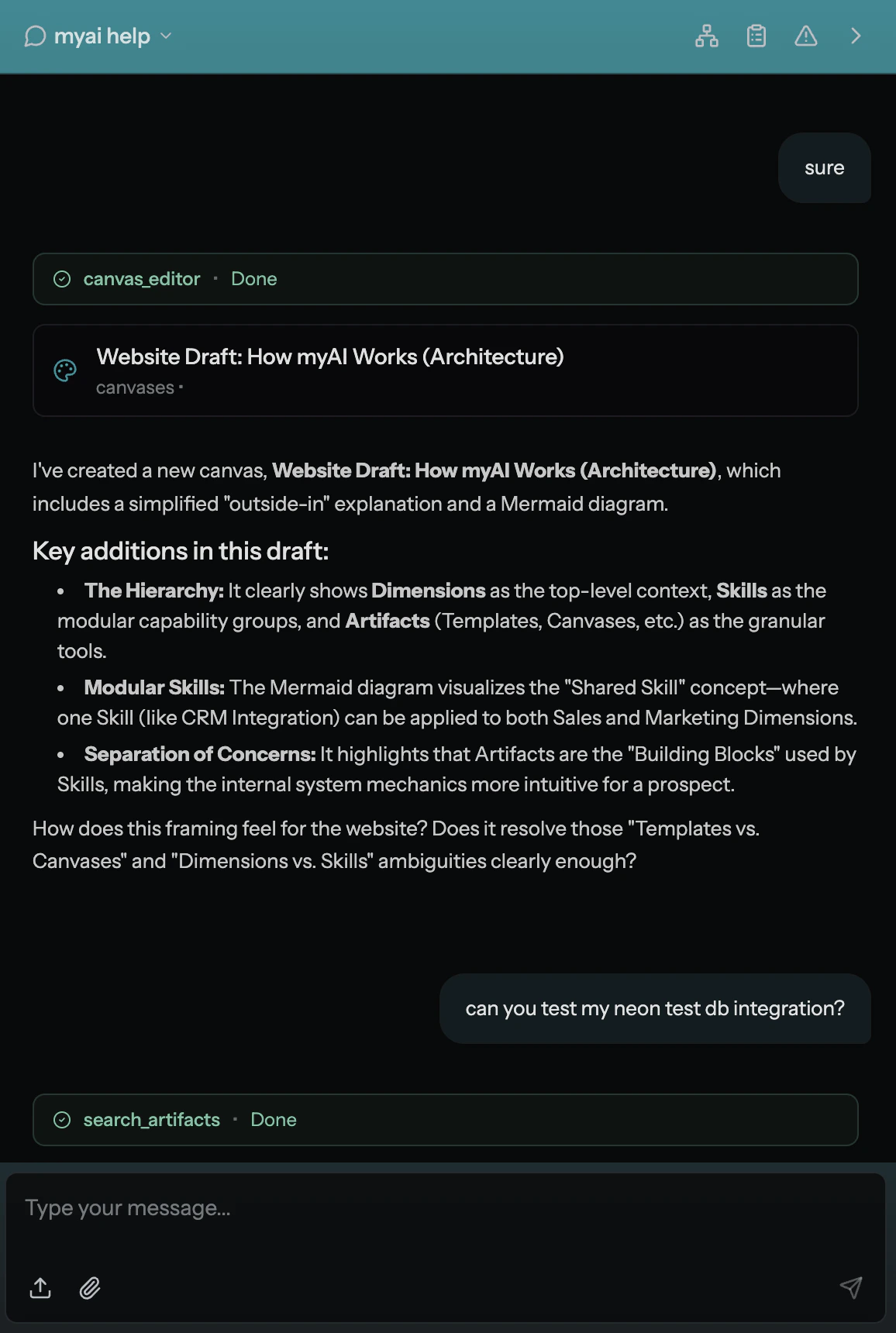
Step 5: Explore What’s Possible
Now that you’ve created your first Canvas and had a conversation, here’s where to go next:Learn the Terminology
Understand Dimensions, Artifacts, Skills, Workflows, and other core concepts.
See How It All Fits Together
Explore the architectural model that separates context from execution.
Find Your Role Guide
Follow the guide tailored to your role — End User, Pro User, IT Admin, or Quality.
Explore Use Cases
See how Sales, Engineering, Finance, Manufacturing, and other teams use MyAi.
Tips for Getting the Most Out of MyAi
- Be specific. “Create a canvas with three KPI cards for revenue, margin, and churn” gets better results than “make me a dashboard.”
- Trust the structure. The more your team invests in well-defined Dimensions and Templates, the more accurate and useful MyAi becomes. See Reliability & Limitations for more on this.
- Start small. Pick one concrete pain point. Build a Canvas or Template that addresses it. Expand from there.
- Everything is an Artifact. If you created it in MyAi, it’s saved, versioned, and queryable. You won’t lose your work.