

How does the artifact lifecycle work?
As a Pro User, you’ll actively create and manage artifacts (canvases, templates, functions, workflows). Understanding their lifecycle is crucial for effective development and deployment.Key Stages
- Creation: When you first build an artifact, it starts in a draft state, accessible to you for editing.
- Editing: You can continuously refine your artifacts. Each save or major change typically creates a new version.
- Publishing: This makes your artifact available and “live” for others. Published artifacts are what end users interact with.
- Versioning: MyAi automatically tracks your artifact’s change history. You can view previous versions or restore an older state, providing a robust safety net and audit trail.
- Archiving: When an artifact is no longer needed but its history must be retained, you can archive it. Archived artifacts are hidden from active lists but can be unarchived.
Visualizing the Lifecycle
How do I link my creations with the Relationships tool?
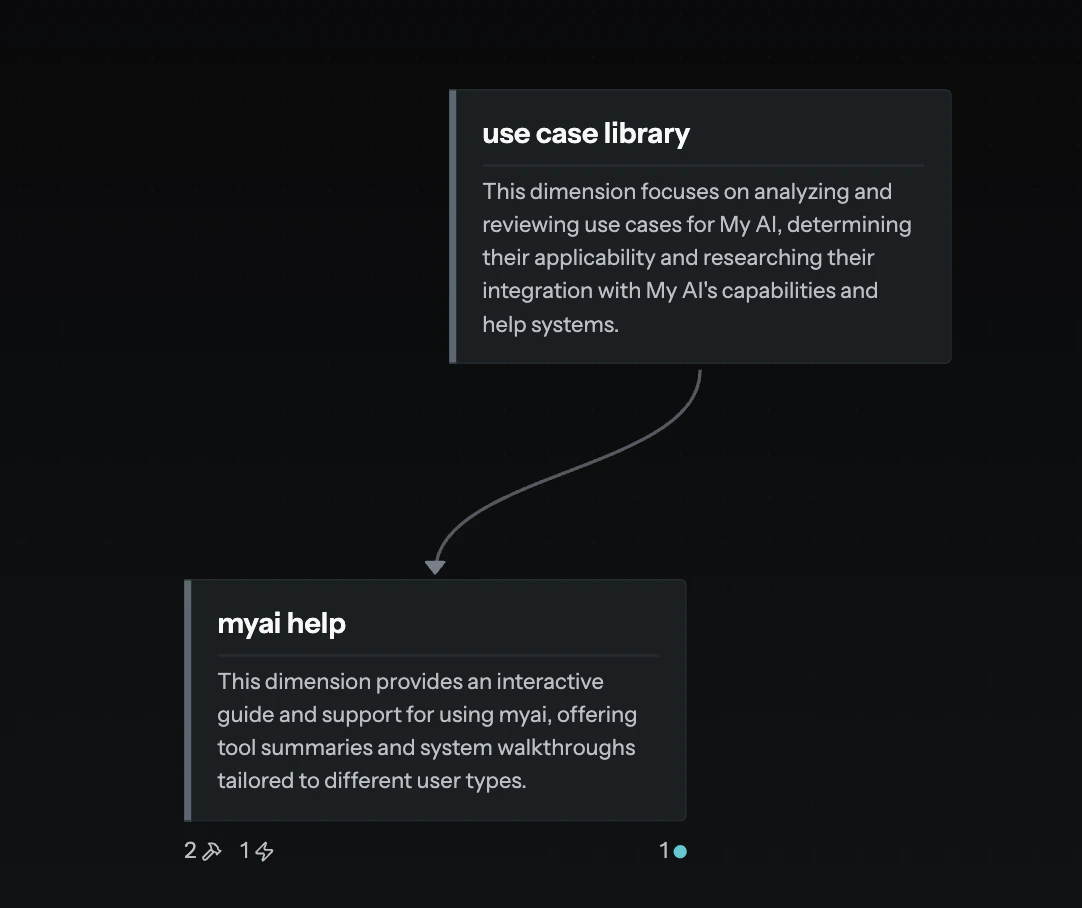
Beyond creating individual artifacts, MyAi lets you define explicit connections between them and your dimensions using therelationships tool. This is how you build the interconnected graph of your knowledge and processes.
Why use Relationships?
- Architectural clarity: Document how different parts of your system interact—for example, a workflow delegating a task to a specialized function, or a canvas pulling data from a specific template.
- Contextual understanding: For both humans and the AI, relationships provide critical context. When the AI understands why two artifacts are connected (via
from_perspectiveandto_perspectivedescriptions), it can better reason about tasks and information flow. - System navigation: Relationships help you and others navigate complex systems, making it easier to discover dependencies and understand work flow.
Key Concepts
from_id&to_id: Theartifact_idsordimension_idsthat you are linking—the source and target of your connection.relationship_type: Defines the nature of the link. Common types include:delegates_to— One artifact/dimension entrusts a task to another.governs— One artifact (like a template) defines the structure or rules for instances.implements— A function provides the logic for a specific interface or contract.related_to— A general association when more specific types don’t apply.
from_perspective&to_perspective: Natural language descriptions explaining the purpose of the relationship from both sides. They are powerful for documenting intent.
Example
If you create aCustomer Feedback Form (a template) and a Customer Feedback Dashboard (a canvas), you might define a relationship:
How do Templates and Instances work?
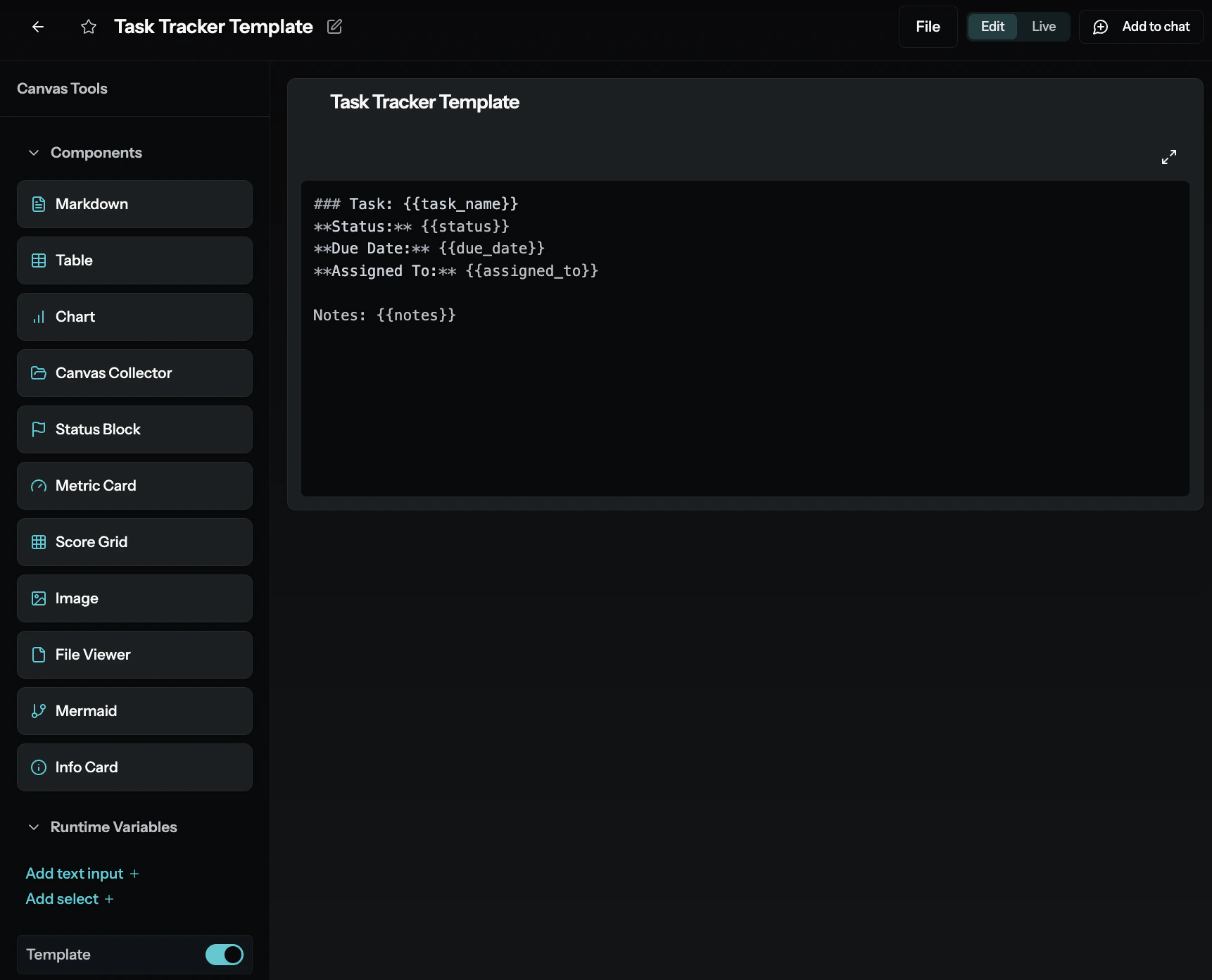
- Templates (The Blueprint): A
templateartifact defines the structure or schema for a type of record. It specifies the fields (global_variables), their types, and rules. Think of it as designing a form. - Instances (The Data Records): An
instanceis a specific record created by filling out that form (the template). Each instance holds the actual data values for the fields defined by its template.
Learn More
MyAi for Pro Users
Get started with building canvases, artifacts, and workflows.
Terminology
Review key terms and definitions used throughout MyAi.
Search & Metadata Tools
Explore tools for searching and managing artifact metadata.