The Trust Equation
The reliability of MyAi outputs is directly proportional to the quality of the context you provide. Three factors drive trust:Dimension Structure
Well-scoped Dimensions with clear boundaries produce more focused, accurate results. A Dimension that tries to cover everything will produce vague answers.
Canvas & Artifact Quality
The more structured and complete your Artifacts are — Templates with defined fields, Canvases with clear data sources — the more MyAi has to work with.
Skill & Function Precision
Skills that are well-defined and narrowly scoped give MyAi clear capabilities. Overly broad Skills increase the chance of unexpected behavior.
What MyAi Is Good At
MyAi excels in scenarios where:- Context is well-defined. When a Dimension has clear boundaries, relevant Artifacts, and appropriate Skills, MyAi can reason effectively within that scope.
- Tasks are structured. Template-driven data capture, Canvas generation, and Workflow execution benefit from MyAi’s ability to follow defined patterns.
- Multiple systems need coordination. MyAi’s strength is orchestrating across tools (CRM, ERP, PLM, databases) that don’t natively talk to each other.
- Tribal knowledge needs scaling. Codifying expertise into Dimensions and Skills allows MyAi to apply that knowledge consistently.
- Repetitive processes need automation. Workflows that chain structured steps are highly reliable once tested and validated.
Known Limitations
AI responses are non-deterministic
AI responses are non-deterministic
Like all large language model-based systems, MyAi’s natural language responses may vary between runs. The same prompt can produce slightly different phrasing or structure. For critical outputs, use Templates and structured Artifacts to enforce consistency rather than relying solely on free-form generation.
Outputs may contain errors
Outputs may contain errors
MyAi can generate incorrect summaries, misinterpret ambiguous requests, or surface data that doesn’t fully answer the question. This is especially true when:
- The Dimension lacks sufficient context or Artifacts
- The question spans multiple Dimensions that aren’t connected
- The underlying data source has quality issues
Integration data is only as good as the source
Integration data is only as good as the source
When MyAi pulls data from external systems via API Client or SQL Client, the accuracy depends entirely on the source system. MyAi does not validate the correctness of external data — it surfaces and transforms what it receives.
Real-time data has latency considerations
Real-time data has latency considerations
Data retrieved via API calls or webhook triggers reflects the state of the source system at the time of the request. If your Workflow runs on a schedule, the data may be minutes or hours old depending on the trigger frequency.
Complex multi-step reasoning can compound errors
Complex multi-step reasoning can compound errors
When MyAi chains multiple steps — pulling data, transforming it, making decisions, and taking actions — each step introduces a small margin for error. For high-stakes multi-step Workflows, build in checkpoints where a human reviews intermediate results before the process continues.
When Human Review Is Required
Not every MyAi output needs manual verification. Use this framework to decide:| Scenario | Recommendation |
|---|---|
| Generating a draft Canvas or report for internal review | Low risk — review before sharing externally |
| Executing a tested, validated Workflow | Low risk — monitor via Work Order audit trails |
| Summarizing data from a single, trusted source | Medium risk — spot-check key figures |
| Making decisions that affect customers, compliance, or finances | High risk — always require human approval |
| Generating content for external communication | High risk — always review before sending |
| First-time Workflow execution on live data | High risk — run in test mode first |
How to Improve Reliability
Scope Dimensions tightly
A Dimension scoped to “Manufacturing Quality” will outperform one scoped to “Everything in the plant.” Narrow context produces better answers.
Invest in structured Artifacts
Templates with well-defined fields, Canvases with clear data sources, and Functions with explicit inputs/outputs all improve consistency.
Use Skills deliberately
Only assign the Skills a Dimension actually needs. A Dimension with access to every tool in the system is harder for the AI to reason about effectively.
Validate Workflows before going live
Run new Workflows with test data. Review the Work Order audit trail to verify each step produced the expected result.
Observability: Work Orders as Your Audit Trail
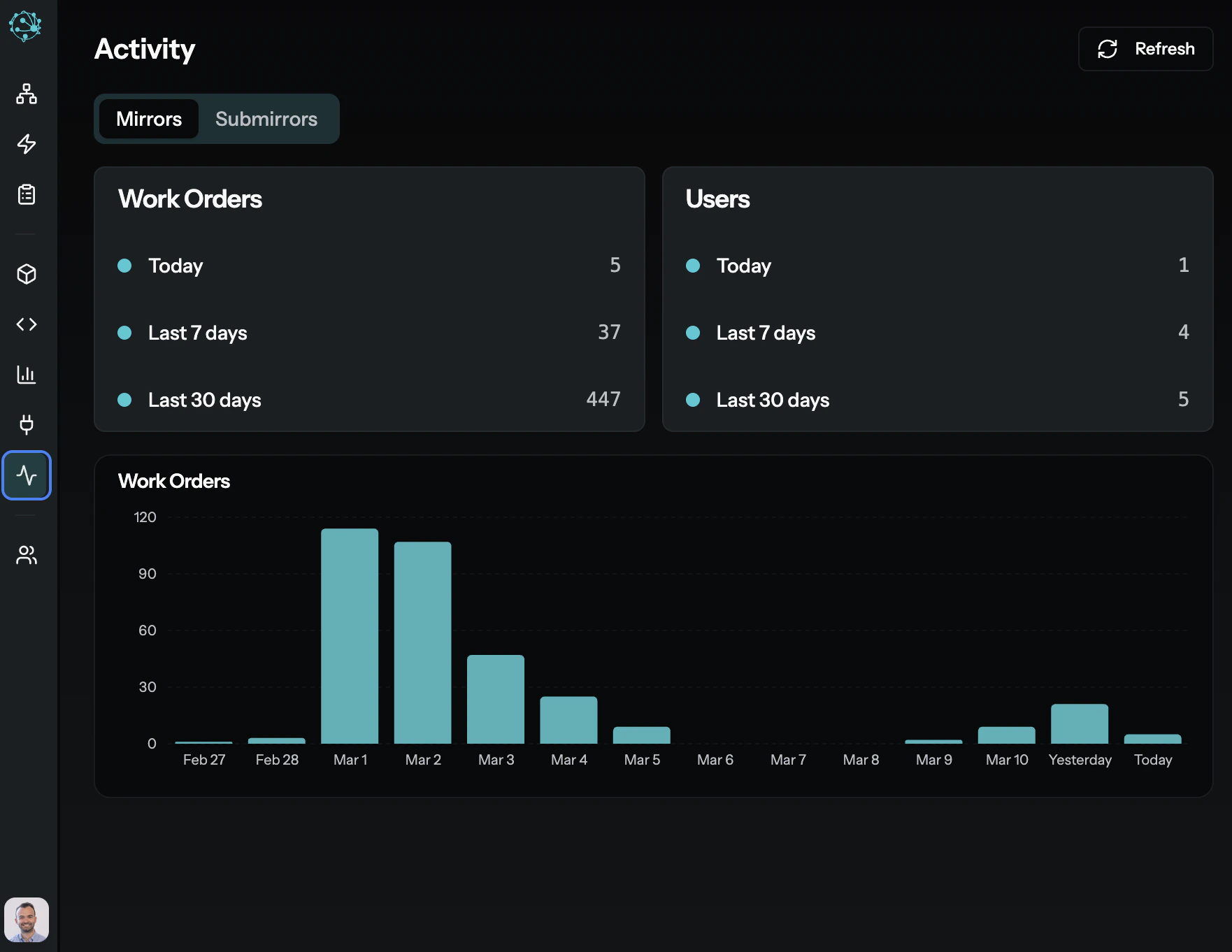
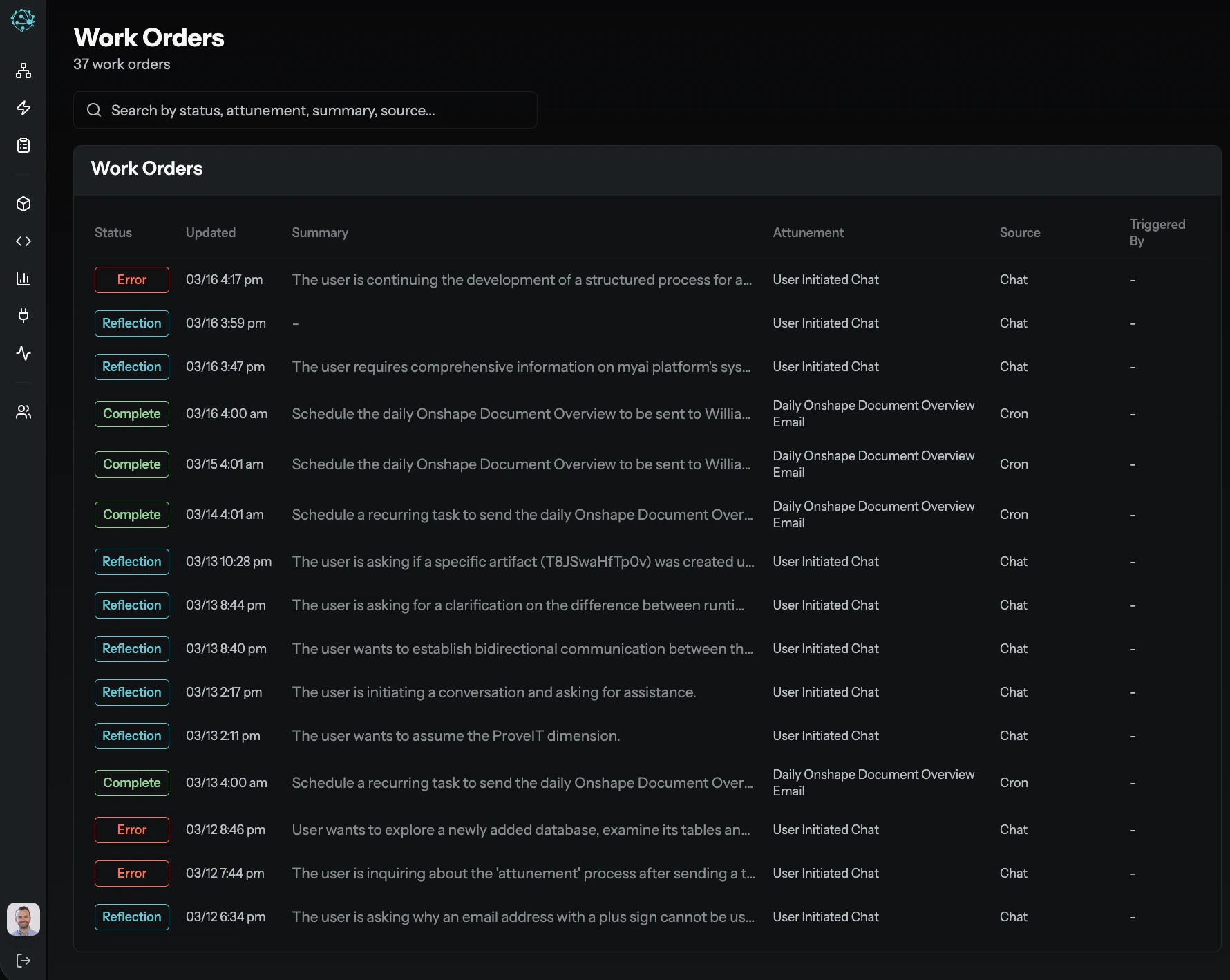
Every task in MyAi — whether initiated by a user, triggered by a Workflow, or invoked by an external system — is tracked as a Work Order. Work Orders provide:- Full execution history — Every step, every tool call, every input and output.
- Initiator and context — Who or what started the task, and in which Dimension.
- Status and outcomes — Whether the task completed, failed, or requires review.