

What can you do as a Pro User?
- Build Canvases: Design and populate interactive dashboards, reports, and living documents that visualize data and streamline information flow.
- Create Artifacts: Define new templates, functions (using guided no-code builders), and data structures that capture and process information.
- Develop Workflows: Orchestrate automated processes that connect dimensions, execute tasks, and ensure consistent outcomes.
- Externalize Wisdom: Codify your expertise into reusable components that can be scaled and shared across your organization.
How do I get started building?
- Understand Dimensions: Your building efforts are organized within Dimensions. Each Dimension provides focused context and a set of tools. Consider which Dimension your new artifact or canvas belongs to.
- Explore Templates: MyAi offers various templates for common needs. Use these as a starting point or create new ones from scratch to define structured data entries.
- Canvas Components: When building a canvas, you can add different components:
- Markdown: For text, headings, and static content.
- Tables & Charts: To display data from SQL queries or static inputs.
- Metric Cards: For key performance indicators.
- Canvas Collectors: To display instances of a specific template.
- No-Code Functionality: Many powerful features in MyAi are accessible through intuitive interfaces, allowing you to drag-and-drop, configure settings, and use natural language prompts to generate code or logic.
Tips for Pro Users
- Start simple: Begin with a clear goal in mind. What problem are you trying to solve, or what information do you want to convey?
- Iterate: Build in small steps, test frequently, and refine your creations based on feedback.
- Leverage existing resources: Review the Terminology and Quickstart guides to reinforce your understanding of core concepts.
Sample Prompts for Canvas Creation
As a Pro User, you can describe the canvas you want using natural language. The system interprets your request and assembles the components for you. Here are two examples.Example 1: Sales Performance Dashboard
“Create a new canvas titled ‘Monthly Sales Performance Dashboard’. It should be a comprehensive report including:This prompt generates a canvas pre-populated with all these components, ready for you to connect to data sources or fill with information.
- A prominent main title and a brief executive summary markdown section.
- Three KPI metric cards: ‘Total Revenue’, ‘Profit Margin’, and ‘New Customer Acquisition’.
- A detailed table showing sales data broken down by ‘Region’ and ‘Product Category’.
- A line chart visualizing ‘Monthly Sales Trends’ over the past 12 months.
- A bar chart comparing ‘Regional Performance’ against predefined sales targets.
- A markdown section for ‘Qualitative Insights and Commentary’ from the sales manager.
- A score grid to evaluate individual ‘Sales Representative Performance’ based on their quarterly quotas.
- An image component to display the company logo at the top right.”
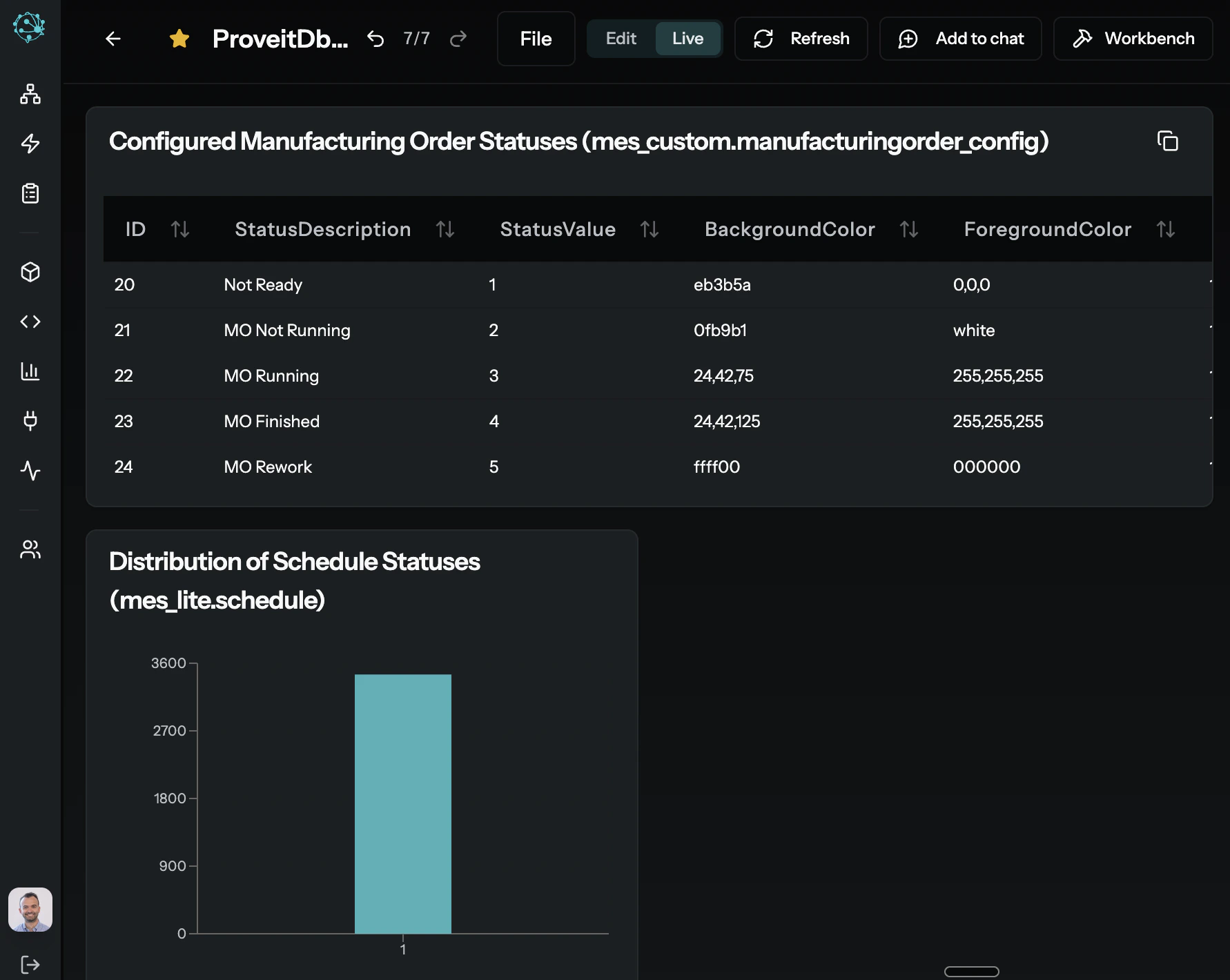
Example 2: Project Health & Operations Hub
“Create a new canvas titled ‘Project Health & Operations Hub’. This should be an all-encompassing, interactive dashboard designed for project managers, featuring:This example showcases how a single natural language prompt can orchestrate a highly functional and visually rich canvas, combining data visualizations and structured content into a comprehensive operational hub.
- A prominent markdown title ‘Project Phoenix Q2 Performance’ and an executive summary.
- Three dynamic metric cards: ‘Overall Project Score’ (1–100), ‘Budget Burn Rate’ (percentage), and ‘Critical Path Delay’ (days).
- A Canvas Collector pulling all instances of the ‘Project Task Status’ template filtered by ‘Active’ status, displayed as a sortable table.
- A bar chart visualizing ‘Task Completion by Team Member’ for the last month.
- A line chart illustrating ‘Resource Utilization Trend’ over the past six weeks.
- A pie chart breaking down ‘Issue Severity Distribution’ (Critical, High, Medium, Low).
- A Mermaid Diagram depicting the ‘Critical Path Workflow’ with key milestones and dependencies.
- A Status Block summarizing ‘Key Risks’ and their mitigation plans.
- An Info Card with contact details for the project lead and key stakeholders.
- A markdown section for ‘Next Steps & Decisions Required’.”
Learn More
Building with Artifacts
Understand the artifact lifecycle, relationships, and the template-to-instance pattern.
Architecture
Learn how MyAi’s core systems are structured.
Terminology
Review key terms and definitions used throughout MyAi.
System Tools: Functions
Explore the function tools available for building.